Built-in AI vs third-party AI integrations in ITSM: differences and how to choose

Built-in AI is the AI features that come natively in your ITSM platform, designed to work with your data and your processes out of the box. Third-party AI integrations are external AI tools you connect to your ITSM tool through APIs, giving you more flexibility but more complexity. Built-in AI tends to be faster to set up and easier to maintain. Third-party tools offer more specialized capability but need more work to manage. If that sounds like a polite way of saying "it depends," that's because it does.
Built-in AI gives you what you want, when you need it—but third-party tools give you greater specialization in the long-run.
The core difference between built-in AI and third-party AI
- Built-in AI is part of the platform you already use. Third-party AI is brought in through integration.
The main trade-off between built-in AI and third-party AI
- Speed and simplicity vs flexibility and specialization.
The best-fit indicator between built-in AI and third-party AI
- If your team is small to mid-sized and wants something working soon, built-in. If you have specific needs and the resources to manage a more complex setup, third-party.
| Built-in AI | Third-party AI | |
| Core difference | Part of the platform you already use | Brought in through integration |
| Main trade-off | Speed and simplicity | Flexibility and specialization |
| Best-fit indicator | Small to mid-sized teams that want something working soon | Teams with specific needs and the resources to manage a more complex setup |
Who this comparison is for
- IT and service leaders deciding how to bring AI into their ITSM tool.
- Teams already using one approach and wondering if the other would suit them better.
When this decision becomes relevant
- When you're choosing or renewing an ITSM platform and weighing AI features.
- When your current AI setup isn't doing what you need it to.
Key takeaway
- Most service teams get more value from well-implemented built-in AI than from a more complex third-party setup that takes longer to deliver.
Built-in AI versus third-party integrations
What is built-in AI?
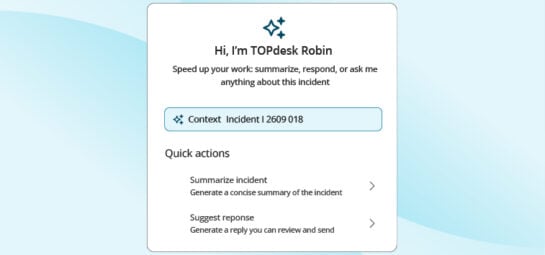
Built-in AI is the AI features that come included as part of your ITSM platform. They're designed by the same vendor that builds the rest of the tool, so they work with your tickets, your knowledge base, and your portal without separate setup. Common built-in features include AI-powered ticket classification, suggested responses, knowledge search, and chatbot capability.
You don't need to pick a model, integrate an API, or maintain a connection. The features show up in the product, your team turns them on, and they start working.
What are third-party AI integrations?
Third-party AI integrations are external AI tools, often general-purpose ones like OpenAI or Anthropic, or specialized ITSM-focused AI vendors, that you connect to your ITSM tool through APIs or pre-built integrations. The AI lives outside the platform, but it can often read from and write to it—although not in all cases.
You get more choice over which AI you use and how it's set up, in exchange for more setup, more maintenance, and more decisions to make.
Why the difference matters
Both approaches will eventually get you to the same destination. They just take very different scenic routes.
Built-in AI is opinionated. The vendor has made decisions about how the AI fits into the workflow, how data is handled, and what the user experience looks like. You give up some flexibility, and in return you get something that works quickly.
Third-party integrations are flexible. You decide what model to use, how it processes your data, and how it surfaces in the workflow. The trade-off is that you're now responsible for those decisions, and for keeping the integration running over time.
Core differences
| Aspect | Built-in AI | Third-party AI integrations |
| Setup time | Days to weeks | Weeks to months |
| Cost model | Usually included or as a platform add-on | Separate licensing plus integration/consultancy cost |
| Maintenance | Vendor handles updates | Your team or partner manages |
| Flexibility | Limited to what the platform offers | High; you choose the model and how it's used |
| Data handling | Within the platform's data flow | Data crosses the boundary; needs careful review |
| Skills needed | Standard ITSM admin skills | Integration, API, sometimes data science skills |
| Vendor support | One vendor, single point of contact | Multiple vendors, more coordination |
| Compliance | Tends to inherit the platform's set up | Each integration adds compliance considerations |
| Time to value | Faster | Slower |
Strengths and limitations
Built-in AI: strengths
- Quick to set up; no integration work required.
- Works with your existing data without extra plumbing.
- Single vendor relationship and one point of support.
- Updates and improvements come automatically.
- Compliance, security, and data handling fit the rest of the platform.
Built-in AI: limitations
- You're limited to what the vendor offers.
- Less control over which underlying AI model is used.
- May not cover specialized or unusual use cases.
- Switching vendors later means losing the AI setup with the rest.
Third-party AI integrations: strengths
- Wide choice of models and tools, including specialized ones.
- More control over how AI is configured and used.
- Easier to use the latest or most advanced AI capabilities.
- Can mix and match different AI tools for different needs.
Third-party AI integrations: limitations
- Longer setup, often involving developers or partners.
- More moving parts to maintain. When something breaks, finding the cause is harder.
- Data crosses platform boundaries, which adds compliance work.
- Two or more vendors involved when something needs fixing.
- Costs can scale unpredictably, especially with usage-based pricing.
When to choose built-in AI
- You want to start using AI without a long project ahead of you.
- Your needs are well-covered by what most ITSM platforms now offer (ticket classification, suggested responses, knowledge search, basic self-service AI).
- Your team is small to mid-sized and doesn't have spare integration capacity.
- You value a single vendor relationship and consistent data handling.
- You want predictable costs.
When to choose third-party AI integrations
- You have specialized needs that built-in AI doesn't cover.
- You have technical resources, internal or partner, to set up and maintain the integration.
- You want control over which AI model is used and how it's tuned.
- You're already deeply invested in a particular AI tool and want to bring it into your service workflow.
- You're at enterprise scale and have the governance to manage multi-vendor AI.
Common pitfalls and risks
Built-in AI
- Underestimating it. Built-in AI features are often more capable than people assume. Test before assuming you need a third-party solution.
- Over-relying on the defaults. Even with built-in AI, configure it for your environment. Out-of-the-box settings rarely match your specific workflow.
- Locking yourself in further. Built-in AI does increase your dependence on the platform. That's worth being aware of when it's renewal time.
Third-party AI integrations
- Underestimating the maintenance burden. A working integration today is a broken integration in six months if no one is maintaining it.
- Skipping the compliance review. Data crossing platform boundaries is the highest-risk part of this setup. Get this right before you turn anything on.
- Pricing surprises. Usage-based pricing on AI APIs can scale fast. Set limits.
- Diffuse accountability. When something goes wrong, the platform vendor and the AI vendor will each politely point at the other. Get used to mediating.
Practical evaluation checklist
Before choosing between built-in AI and a third-party integration, work through these:
- What use cases am I trying to cover, and how well does built-in AI handle them?
- Do I have the technical resources to maintain a third-party integration over time?
- How is data handled in each option, and does that meet my compliance requirements?
- What's the total cost over three years, including maintenance and support?
- What happens at renewal, to my AI setup, my data, and my workflows?
- How do I get help when something breaks?
If built-in AI ticks the boxes, it's usually the lower-risk choice. If it doesn't, third-party can be worth the extra effort, but go in with eyes open.
Vendor considerations
When evaluating ITSM platforms with built-in AI, look at:
- Which use cases are covered out of the box, and which require configuration.
- How AI features are priced (included, add-on, or usage-based).
- The vendor's stance on data handling, including whether your data trains shared models.
- The level of control your team has over turning features on, off, and adjusting them.
- Available integrations if you decide to bring in third-party AI alongside.
Two examples
A mid-sized service team chooses built-in.
A team of 12 service desk agents handling around 200 tickets a day enables built-in AI classification and suggested responses. Setup takes about two weeks, including data review and team training. Average handle time drops, and there's no separate vendor or integration to manage.
A larger organization chooses third-party.
A multi-region IT function with 80 agents and specialized regulatory needs integrates a third-party AI tool through APIs to handle classification and language detection across multiple languages. The setup takes around four months, involves a partner, and adds roughly 30% to AI-related costs, but it covers needs the built-in option couldn't.
Common questions about built-in vs third-party AI in ITSM
Is built-in AI as capable as third-party AI?
For most service management use cases, yes. The gap was bigger a few years ago. Built-in AI has caught up significantly, especially for ticket handling, knowledge search, and self-service.
Can I use both?
Often, yes. You can use built-in AI for the standard workflow and bring in a third-party tool for a specific case. Just be clear on what's doing what, and where data is going.
What about data privacy?
Built-in AI usually inherits the platform's data handling, but still confirm how the AI features specifically use your data, including whether they train shared models. Third-party integrations need their own review, because data is leaving the platform.
Which is more expensive?
Built-in is usually more predictable. Third-party is more variable, especially with usage-based pricing on AI APIs.
What if I outgrow built-in AI?
That's a real possibility, and worth planning for. Most platforms let you connect third-party AI tools alongside built-in features, so you can layer in specialized capability later if you need it. It's not a one-way door.
Your next read
Inspire others, share this blog