How is AI used in ITSM?

TL;DR
AI is used across IT service management to classify and route tickets, suggest responses to operators, power self-service chatbots, surface relevant knowledge and more. AI's job is to take the repetitive volume off your team's plate. Your team's job is everything that comes after.
If your service team's day looks like: triage, copy-paste, and chasing updates, AI is built for at least two of those.
The main benefit of using AI in ITSM
- AI removes friction from high-volume, repetitive service work—freeing up your team for the cases that need real judgement.
The primary risk of using AI in ITSM
- AI is only as good as the data behind it. Poor data, no oversight, or unclear boundaries lead to wrong answers and frustrated users.
The key action for using AI in ITSM
- Start with one well-defined use case, measure its impact, then expand. Don't try to AI-enable everything at once.
Who AI in ITSM is for
- IT service desk managers looking to handle more volume without adding headcount.
- Service team leads weighing where AI could realistically help.
When to use AI in ITSM
- When ticket volume is growing faster than your team's capacity.
- When operators are spending most of their time on the same handful of repetitive issues.
Key takeaway
- AI is most useful in ITSM when it removes friction from work people already do, not when it replaces the work entirely.
What AI in ITSM actually means
When people talk about AI in IT service management, they're usually describing a mix of things: machine learning models that classify tickets, large language models that generate text, chatbots that handle common requests, and analytics that flag unusual patterns.
These aren't separate products. In a modern ITSM tool, they sit underneath features your team already uses, like your self-service portal, your knowledge base, and your reporting dashboards.
The point is to take work off your team, not to add AI for its own sake.
Where AI adds practical value
There's no single AI feature that defines ITSM. There are about half a dozen places it earns its keep, each one built on top of your ITSM tooling. The AI itself can come built into the platform or as a third-party integration (more on the trade-offs in [Built-in AI vs third-party integrations in ITSM]). Most IT service desks start with one of these.
1. Ticket classification and routing
When a request comes in, AI reads it, categorizes it, and sends it to the right team. It does this by learning from thousands of past tickets (your team's actual history, not generic data) so the routing reflects how your organization works.
The benefit is speed. A ticket that used to sit in a triage queue for an hour is now in front of the right person within seconds.
2. Suggested responses for operators
AI looks at the ticket, finds similar past cases, and drafts a reply your agent can edit before sending. Operators stay in control of what goes out, but they don't have to start from scratch every time.
This works particularly well for the long tail of repetitive issues like password resets, software access, and common how-to questions.
3. Knowledge base suggestions
Whether someone is searching the self-service portal or working a ticket, AI surfaces the most relevant articles based on the context of the request, not just keyword matches. Users find answers faster, and operators stop hunting through the knowledge base.
It also flags gaps. If lots of users are asking the same thing and there's no article for it, that's a signal to write one.
4. Self-service chatbots and virtual agents
A chatbot in your portal can handle straightforward requests like checking the status of an order, resetting a password, or walking someone through a known issue, without involving an agent at all. For users, it's faster. For your team, it's less low-value volume to deal with.
The trick is knowing where to draw the line. Chatbots work well for predictable, well-documented requests. They struggle with anything ambiguous or sensitive. Designing them to hand over to a human when they're out of their depth matters more than how good the bot itself is.
5. Pattern detection and reporting
AI is good at spotting things humans miss in large volumes of data. It can flag a sudden spike in tickets that might point to a major incident, identify recurring problems that look like they need a problem management ticket, or summarize the week's activity into something you can actually read.
This isn't about replacing reporting. It's about making the data usable.
6. Drafting communications
Outage messages, status updates, post-incident summaries: AI can draft these in a few seconds, which someone then reviews and sends. For a stretched service team, that's real time saved.
Practical steps for getting started with AI in ITSM
- Pick one problem. Don't try to roll AI out across all your ITSM tools. Choose one use case where the pain is clear and the wins are easy to measure.
- Check your data. AI needs reasonable training data to work well. If your ticket history is messy or your knowledge base is out of date, fix that first.
- Define what success looks like. Time saved per ticket, deflection rate, agent satisfaction: pick metrics before you start so you can tell whether it's working.
- Keep a human in the loop. Especially early on, have operators review AI output before it goes to the user. You'll spot problems faster and build trust in the system.
- Start small, expand from there. Once one use case is working, add the next. Avoid the temptation to switch on everything at once as this will mess with your ITSM tool workflow.
- Talk to your team. AI changes how people work. Bring operators into the rollout early so they understand what it's doing and why.
Common pitfalls for using AI in ITSM
- Treating AI as a magic fix. AI helps with the work; it doesn't replace good processes. If your incident management is broken, AI won't fix it.
- No oversight. Letting AI respond directly to users without a human checking the output, especially early on, leads to mistakes that erode trust.
- Over-relying on chatbots. A bot that can't escalate to a person when it should is worse than no bot at all.
- Ignoring data privacy. AI tools handle real user data. Check where that data goes, whether it's used to train models, and whether the setup is GDPR-compliant.
- Forgetting to retrain. AI gets stale faster than you think. A model trained on last year's tickets won't catch this year's problems.
When AI in ITSM is the right fit (decision checklist)
- You have an ITSM tool in place already, preferably with built-in AI capabilities.
- You have enough data for the model to learn from.
- The work is repetitive and high-volume.
- Mistakes are easy to spot and easy to fix.
- Operators review AI output before it reaches the user.
- You can keep humans in the loop on anything sensitive.
- You're willing to invest the time to set it up properly.
If most of these are true, AI will probably help. If they're not, you might be better off fixing the underlying process and work on your ITSM tools first.
Two examples of AI in ITSM
Speeding up ticket handling at London South Bank University
The IT team at LSBU handles a high volume of incidents across a service desk of 50 operators. Long tickets often get passed between colleagues, and operators had to read through walls of text just to understand what had already been tried. Creating knowledge items from those tickets was slower still: case-specific detail had to be stripped out, and most operators ended up rewriting from scratch.
LSBU turned on two AI features in TOPdesk: Incident Summarization, which gives operators a quick read on what a ticket is about, and Knowledge Item Generation, which turns ticket content into reusable knowledge in a few clicks. Generated knowledge items hit over 90% accuracy. The ITSM tooling holds the structure: tickets, history, knowledge base. AI just makes the work inside it faster.
Read the full story: How AI speeds up ticket handling and knowledge sharing at LSBU.
Improving self-service
A service team rolls out AI-powered search in its self-service portal. Instead of keyword matching, the search understands natural-language questions and pulls the most relevant article. Self-service usage goes up, and tickets for common how-to questions drop by around a third, without any change to the knowledge base itself.
AI in TOPdesk
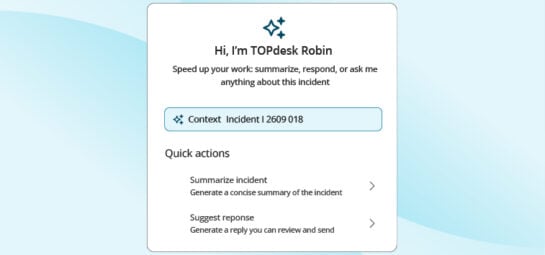
In TOPdesk, AI shows up as a set of features built into the platform itself, sitting on top of the categorization, workflows, and knowledge base that the tool already provides. AI Incident Categorization suggests a category and priority for incoming tickets based on their content. AI Incident Summarization gives operators a quick read on long or complex tickets, including what's been tried, where it stands, and what to do next. AI Knowledge Item Generation turns a solved ticket into a draft knowledge item that operators review and publish. AI Writing Assistant cleans up rough notes into clearer, more professional writing.
Across all of these, AI suggests and your IT service desk approves. Nothing reaches users without a person signing off. Data is processed in local data centres, and customer data isn't used to train models. The features are included in your TOPdesk plan rather than priced per use, so cost doesn't scale with how much your team relies on them.
Common questions about AI in ITSM
Does AI replace service desk operators?
No. It removes the repetitive volume so your team can focus on the work that needs human judgement.
What kind of data does AI need?
Past tickets, knowledge articles, asset information: whatever the model is meant to learn from. The cleaner that data, the better the result.
Is AI in ITSM safe for sensitive data?
It depends on the tool. Check where data is processed, whether it's used to train shared models, and how it complies with GDPR and other regulations.
Will AI break my existing processes?
It shouldn't, if it's set up well. AI sits alongside your processes and supports them. If it's working against them, that's a sign something is misconfigured.
How long does it take to see results?
It varies. Simple use cases like ticket classification can show results in weeks. More complex changes take longer, especially if you're cleaning up data first. Which, with most service teams, you are.
Do I need to be a big organization to benefit?
Absolutely not. Mid-sized teams often see the biggest impact, because they're under the most pressure to do more with the same resources.
Your next read
Inspire others, share this blog